 MU TMT
How to get there
- Update the client to version 1.3.0 with the launcher. Without that version, the Merchant does not open the window.
- In Lorencia, talk to Julia. Julia takes you to Loren Market.
- Find the Merchant in Loren Market, at 119, 128, and talk to him.
The Merchant opens the Market window, with 3 tabs: Browse, Sell and My auctions. Esc closes the window.
Buy
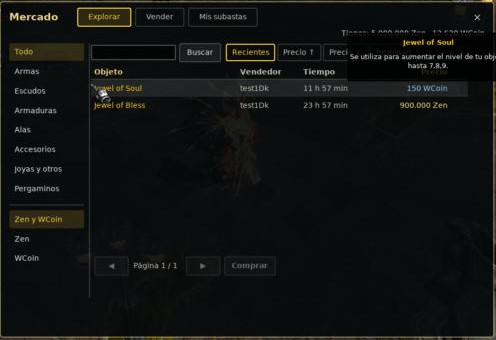
- Filter. Choose a category on the left: weapons, shields, armor, wings, accessories, jewels or scrolls. Below, choose zen, WCoin or both currencies.
- Search and sort. Type part of the name and click Search. Sort by newest, by price or by the listings that end first.
- Buy. Choose a row, click Buy and confirm with Yes. The item goes directly to your inventory.
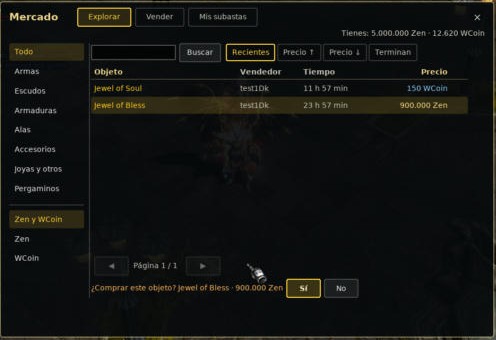
If the seller changes the price or somebody buys first, the Market cancels your purchase and charges you nothing.
Sell
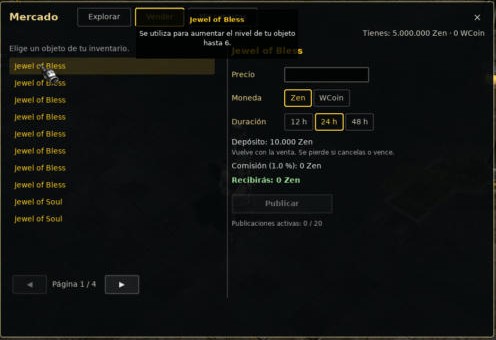
- Open the Sell tab and choose an item of your inventory.
- Type the price and choose the currency: zen or WCoin. You choose the price.
- Choose the duration: 12, 24 or 48 hours.
- Click Publish. The item leaves your inventory and the Market keeps it until the sale.
You can have 20 active listings per account. The Market does not accept items that you cannot trade, such as items bound to the character.
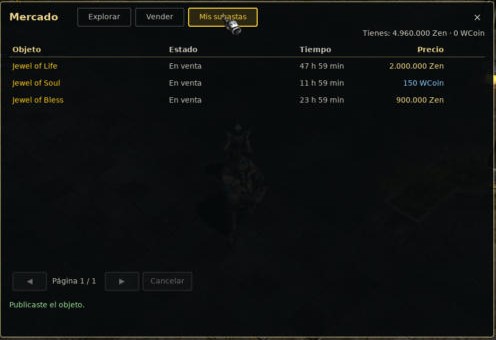
If you cancel a listing or its time ends, the item goes back to your inventory.
Get paid
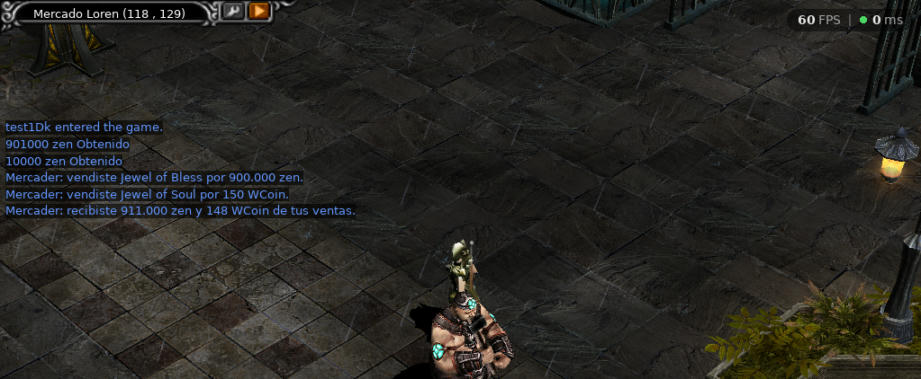
- You do not need to go back to the Merchant. When somebody buys your item, the payment goes to your character.
- If you are offline, the payment arrives the next time you enter the game. The chat shows each sale and the total.
- Items that come back, after a cancel or the end of the time, also arrive by themselves.
- If your inventory is full, a message tells you. Free some space: the Market tries again every 5 minutes.
Fee and deposit
- Fee
- 1 % of the sale, in the currency of the sale
- Deposit
- 1 % of the price in zen, minimum 10,000 zen
- Duration
- 12, 24 or 48 hours
- Limit
- 20 listings per account
- Fee: the Market takes it only when you sell. Nobody gets the fee: it leaves the game and helps to protect the economy.
- Deposit: you pay it in zen when you list. If the item sells, you get the deposit back with the payment. If you cancel or the time ends, you lose the deposit.
- Example: you list a Jewel of Bless at 900,000 zen and pay a deposit of 10,000 zen. After the sale, you get 891,000 zen and the 10,000 zen of the deposit.
During some events, the fee can go down or up. The event announcement gives the value.
Prices on the website
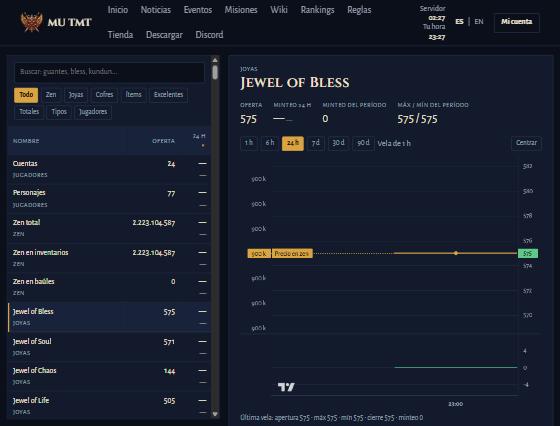
Before you list, look at what other players pay. In your panel, open Economy and choose an item: the chart shows the unit price of each done sale, in zen and in WCoin.
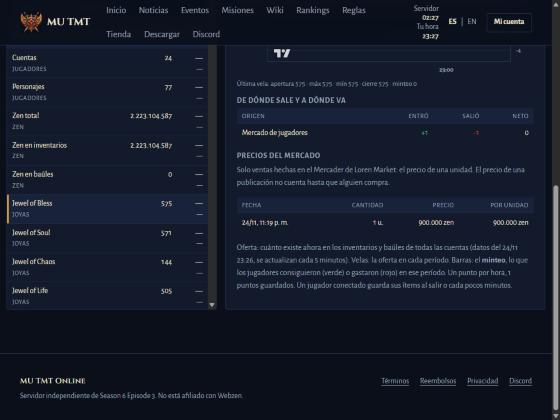
Only done sales count. The price of a listing does not count until somebody buys it.